

Android 17 Network Security Explained: ECH, Local Network Protection, Certificate Transparency, and 2G Scam Defense
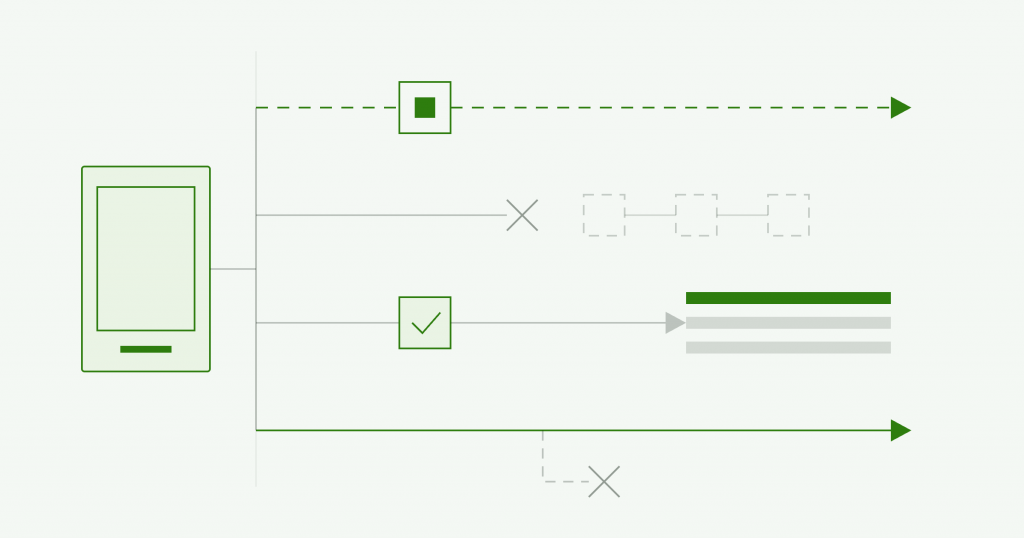
Android 17 adds four network security features that move several protections from optional settings to defaults built into the operating system. Encrypted Client Hello hides the name of the site you are visiting, and Local Network Protection stops apps from scanning your home network without permission. Certificate Transparency is now enforced by default, and participating carriers can switch off the insecure 2G networks that SMS-blaster scams rely on. Google announced the changes in August 2026, and Android 17 is the first major mobile operating system to enable broad Encrypted Client Hello support.
Table of Contents
Android 17 Network Security At A Glance
- What changed: four network security features, Encrypted Client Hello (ECH), Local Network Protection, and Certificate Transparency by default and carrier-controlled 2G blocking.
- Announced: August 2026, by Google, on the Android Security blog.
- What it protects against: domain-name snooping, local-network tracking and household profiling, forged website certificates, and 2G downgrade and SMS-blaster phishing.
- Who it affects: all Android 17 users get most of the benefit automatically, while app developers have new permission and networking requirements to meet.
- What to do: users update to Android 17; developers handle the local-network permission and enable ECH by moving to a compatible networking library such as OkHttp 5.5.0.
For most people these changes work in the background, but each one closes a specific way that a network operator, an eavesdropper, or a scammer could watch, profile, or target a phone. This guide explains what each feature does, the attack it addresses, and what it means for everyday users, for app developers, and for organizations that manage a fleet of mobile devices.
Key Takeaways On Android 17 Network Security
The points below capture what changed and who needs to act before the detail.
- Four defenses became defaults. Android 17 turns Encrypted Client Hello, Local Network Protection, Certificate Transparency, and stronger 2G controls into platform-level protections rather than optional settings.
- Your browsing metadata is better hidden. Encrypted Client Hello conceals the domain name that HTTPS still leaks, so network operators and eavesdroppers have a harder time seeing which sites and apps you use.
- Apps can no longer map your home network without asking. Local Network Protection forces an app to ask permission before scanning or connecting to the devices on your Wi-Fi.
- 2G scam texts get harder to deliver. Participating carriers can now turn off 2G by default, which removes the downgraded network that SMS blasters use to push phishing messages past spam filters.
- Developers have work to do. Apps that scan the local network or want the privacy benefit of Encrypted Client Hello need to adopt the new permission and modern networking libraries.
Network Security Features Added With Android 17
Android 17 adds four network-security features, and Google groups them around a single goal: reducing how much a phone reveals to the networks it connects through. The four are Encrypted Client Hello, which hides the destination of a connection, Local Network Protection, which controls which apps can see your local devices, Certificate Transparency by default, which makes forged website certificates easier to catch, and carrier-controlled 2G blocking, which cuts off the legacy network that cellular scams depend on.
What ties them together is a shift from optional to default. Several of these protections existed before in some form, as a manual toggle, an enterprise setting, or a feature an app could choose to support. Android 17 promotes them to platform-level defaults, so the protection is present unless something actively removes it. The sections below take each in turn, starting with the one most people will notice first.
Local Network Protection In Android 17
Local Network Protection is an Android 17 control that requires an app to request explicit permission before it can scan for or connect to other devices on your local Wi-Fi network. Before this change, an app could discover the devices sharing your network, such as smart TVs, cameras, speakers, printers, game consoles, and other Internet of Things devices, without clearly asking. That device list is revealing, because it exposes what technology a household owns and can be used to profile the people in it.
With Local Network Protection enforced, that visibility becomes a permission the user grants or denies. The change does not break common features that people expect. Casting a video to a television still works, because Google directs developers to use secure Android system tools that let a user pick a device through the operating system, without the app gaining broad visibility into everything on the network. The result is that an app sees the one device you chose to cast to, rather than an inventory of your home.
What is Encrypted Client Hello, and What Does it Hide?
Encrypted Client Hello, or ECH, is a privacy standard that encrypts the part of an HTTPS connection that still reveals which website you are contacting. HTTPS already encrypts the content of your traffic, but during the initial TLS handshake the destination hostname is sent in the clear through a field called Server Name Indication. Network operators, internet providers, and eavesdroppers can read that field to see which sites and apps a device is reaching, even though the traffic itself is encrypted. That metadata can be used to build a profile of a person or to feed targeted phishing and scam campaigns.
ECH closes that gap by encrypting the domain name so that only the destination server can read it. On Android 17 this protection is built into the platform and works together with Private DNS, and Google says Android 17 is the first major mobile operating system to enable broad ECH support. There is a practical condition worth understanding: the benefit applies when both the app and the destination server support ECH, so coverage grows as more services adopt it. For apps that target Android 17 and use a compatible networking library, ECH is enabled by default, which is why the developer guidance below matters for how quickly the protection spreads.
Why Does Android 17 Enable Certificate Transparency By Default?
Certificate Transparency is a system that requires website certificates to be recorded in public logs, and Android 17 enforces it by default. When your phone connects to a secure website or app, it checks the site’s digital certificate to confirm the destination is authentic. The weakness this addresses is a compromised or misbehaving certificate authority, which could issue a fraudulent certificate that an attacker uses to impersonate a legitimate site and intercept encrypted traffic.
By requiring certificates to appear in public logs, Certificate Transparency makes a forged or improperly issued certificate far more likely to be noticed, because it either has to be logged, where defenders can spot it, or it fails the check. Turning this on by default adds accountability to the web’s public-key infrastructure at the platform level, so the protection does not depend on an individual app or user enabling it.
How Does Android 17 Defend Against 2G Downgrade and SMS Blaster Attacks?
Android 17 defends against 2G scams by letting participating mobile carriers turn off 2G connectivity for their subscribers by default, with no action needed from the user. The attack it targets uses a device called an SMS blaster, which is a rogue base station or false cellular tower. An SMS blaster broadcasts a high-power signal that forces nearby phones to drop their LTE or 5G connection and downgrade to 2G, a legacy network with much weaker security. Once a phone is on 2G, the attacker can push fraudulent text messages straight to it, bypassing the spam and scam filters that carriers apply on modern networks, and impersonate banks, delivery companies, or government agencies.
This is the strongest version of a control Android has been building for years. Android 12 introduced a manual setting that let a user disable 2G, and Android 14 let IT administrators turn off 2G on managed devices. Android 17 goes further with a zero-click approach, where a participating carrier can disable 2G by default for its subscribers, so the protection reaches people who would never change the setting themselves. Because it depends on the carrier enabling it, the coverage will grow as more operators join the program.
What Android 17 Means For App Developers
For developers, Android 17 introduces new requirements rather than background changes, and the two that matter most are local network access and modern encrypted networking. An app that legitimately needs to discover or connect to devices on the local network now has to request the local-network permission and handle the case where a user declines it. An app that only needs to cast or stream to a chosen device should move to the secure system tools Google provides, which avoid asking for broad local-network access at all.
On the encryption side, the privacy benefit of Encrypted Client Hello reaches users only when apps adopt it. Google’s guidance is for developers to move to modern networking libraries and enable ECH, and it points to OkHttp 5.5.0 as a compatible option. Handling these changes correctly is part of building a mobile app that respects user privacy and passes a modern security review, which is the kind of behavior a mobile application assessment checks. If you want an independent view of how your app handles permissions, networking, and data, you can scope a penetration test against it.
What Android 17 Means For Enterprises And Mobile Fleets
For enterprises, Android 17 strengthens the mobile layer of an attack surface that often gets less attention than servers and laptops. Employees carry phones onto corporate Wi-Fi, connect them to sensitive services, and receive the phishing texts that lead to account compromise, so the protections here map directly onto real enterprise risk. The 2G controls reduce exposure to SMS-blaster phishing that targets staff in public places, Local Network Protection limits how much a rogue or over-permissioned app can learn about a corporate network, and Encrypted Client Hello reduces the metadata a network observer can collect about where devices connect.
The practical step for a security team is to fold these into mobile device management and policy. Where a mobile fleet is managed, confirm the device baseline moves to Android 17, keep the enterprise 2G controls in place alongside the new carrier defaults, and review which internal apps request local-network access. The same identity and access discipline that governs your other systems, set out in what MAS auditors look for in your identity and access architecture, applies to the mobile devices that reach them.
| Recommended read: browser extension security lessons from the Belgian eID flaws, on how client-side software can overreach its trust, which is the same class of risk Local Network Protection is built to limit. |
Android 17 Network Security Features Side By Side
The table below summarizes the four features, the threat each one addresses, and whether it applies automatically or needs action.
| Feature | What it protects against | How it applies |
| Encrypted Client Hello (ECH) | Network operators and eavesdroppers seeing which sites and apps you use | On by default for apps that target Android 17 and use a compatible library, when the server also supports it |
| Local Network Protection | Apps scanning your local network and profiling your devices without consent | Enforced by default; apps must request permission for local-network access |
| Certificate Transparency | Forged or misissued certificates used to impersonate sites and intercept traffic | Enforced by default at the platform level |
| Carrier 2G blocking | 2G downgrade and SMS-blaster phishing over rogue base stations | Available for participating carriers to enable by default for subscribers |
What To Do Now?
The right response depends on whether you are a user, a developer, or a security team, and each has a short list.
- If you are a user, update to Android 17 when it reaches your device, keep automatic updates on, and leave the new protections at their defaults. If your carrier offers a 2G-off option, enable it.
- If you are a developer, request the local-network permission only where your app truly needs it, adopt the secure system device picker for casting, and move to a modern networking library such as OkHttp 5.5.0 to enable Encrypted Client Hello.
- If you run a mobile fleet, move your device baseline to Android 17, keep your enterprise 2G and network controls in place, review internal apps for unnecessary local-network access, and treat mobile devices as part of your tested attack surface rather than outside it.
Frequently Asked Questions (Faqs) About Android 17 Network Security
The questions below cover what users, developers, and security teams ask most often about the Android 17 network changes.
Q1. What network security features does Android 17 add?
Android 17 adds four: Encrypted Client Hello, which hides the domain name of the site you visit; Local Network Protection, which requires apps to ask before scanning your local network; Certificate Transparency by default, which helps catch forged certificates; and carrier-controlled 2G blocking, which defends against SMS-blaster scams.
Q2. What is Encrypted Client Hello (ECH)?
Encrypted Client Hello is a TLS privacy standard that encrypts the destination hostname during the HTTPS handshake, which HTTPS otherwise leaves visible. It stops network operators and eavesdroppers from easily seeing which websites and apps you use, and Android 17 is the first major mobile operating system to enable broad support for it.
Q3. Does ECH hide all of my browsing activity?
No. ECH hides the domain name of the sites you contact, which is powerful metadata, but the benefit applies only when both the app and the destination server support ECH. It works alongside Private DNS, and its coverage grows as more services adopt the standard.
Q4. What is local network protection, and will it break casting?
Local Network Protection requires apps to request permission before scanning or connecting to devices on your local network. It does not break casting, because Google provides secure system tools that let you pick a device through the operating system, so the app sees only the device you chose rather than everything on your network.
Q5. What is an SMS blaster, and how does the 2G change stop it?
An SMS blaster is a rogue cellular base station that forces nearby phones onto insecure 2G networks and then sends phishing texts that bypass carrier spam filters. Android 17 lets participating carriers turn off 2G by default for subscribers, which removes the downgraded network the attack depends on.
Q6. How do I turn off 2G on Android?
Android has offered a manual setting to disable 2G since Android 12, and managed devices can be configured by IT administrators since Android 14. Android 17 adds a carrier-default option, so where your operator participates, 2G can be turned off for you without any action.
Q7. What is Certificate Transparency, and why does it matter?
Certificate Transparency requires website certificates to be logged in public registries so that forged or improperly issued certificates are easier to detect. It matters because a compromised certificate authority could otherwise let an attacker impersonate a legitimate site and intercept encrypted traffic. Android 17 enforces it by default.
Q8. What do app developers need to do for Android 17?
Developers should request the local-network permission only where the app truly needs it, use the secure system device picker for casting, and adopt a modern networking library such as OkHttp 5.5.0 to enable Encrypted Client Hello. Handling permissions and encrypted networking correctly is part of passing a modern mobile security review.
Q9. Do these changes affect enterprise and BYOD devices?
Yes. The protections reduce mobile phishing, network reconnaissance, and metadata exposure that affect corporate devices. Security teams should move their managed baseline to Android 17, keep enterprise 2G and network controls in place, and review which apps request local-network access.
Q10. Is Android 17 enough on its own to keep my device secure?
These features close specific network and metadata gaps, and they are a strong improvement, but they are one layer. Keeping the device updated, installing apps only from trusted sources, using strong authentication, and staying alert to phishing all remain necessary alongside the platform protections.